
Download Clean Drive – Privacy Protection, System Cleanup, Windows Security
Overview
Clean Drive is a mobile application designed to help users maintain the integrity and privacy of their devices by identifying and removing potentially harmful files and system clutter. While the app's original context appears to be tied to PC software, its mobile iteration focuses on safeguarding smartphones from digital threats such as spyware, malicious data, and corrupted system files. The app aims to simplify digital hygiene for users of all technical levels, offering a streamlined process to scan, analyze, and clean device storage. It is particularly useful for individuals concerned about online privacy, device performance, and long-term system stability.
By targeting common vulnerabilities in mobile operating systems—such as residual data from messaging apps, temporary cache files, and registry-like entries—Clean Drive provides a proactive approach to device maintenance. Its target audience includes general smartphone users, privacy-conscious individuals, and those who want to improve their device’s speed without deep technical knowledge. Although the developer did not provide additional background, the app’s consistent focus on security and simplicity suggests a dedicated effort to deliver a reliable utility tool.
Real-world use cases include clearing out outdated app data after updates, removing traces of sensitive information from browsing sessions, and optimizing storage space before installing new applications. In the broader app ecosystem, Clean Drive fills a niche for lightweight, privacy-first tools that prioritize ease of use without compromising on core functionality. Its presence supports a growing demand for user-friendly digital safety solutions in an increasingly data-driven world.
Key Features & Functionality
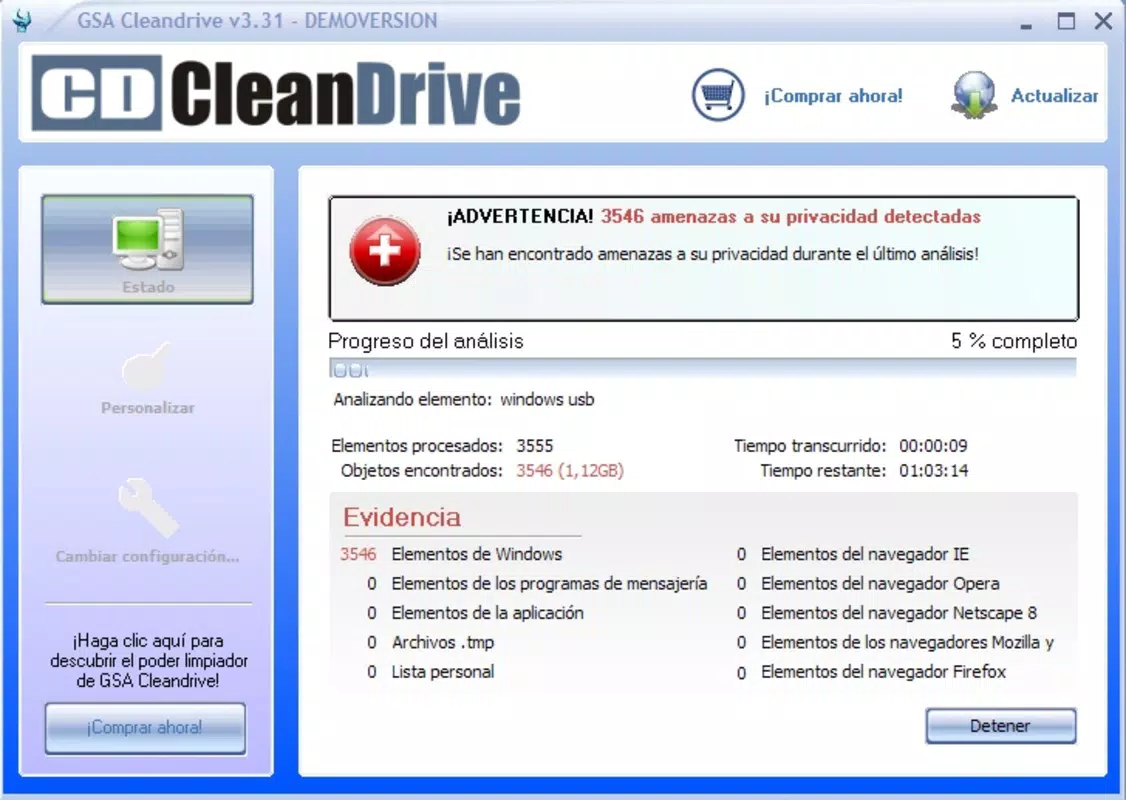
- One-Tap System Scan: Users can initiate a full system analysis with a single tap, allowing the app to detect potential privacy risks and performance bottlenecks across device storage, app caches, and temporary files.
- Threat Identification Engine: The app scans messaging platforms, browser histories, and system directories for problematic data, helping users eliminate traces of sensitive information and malware indicators.
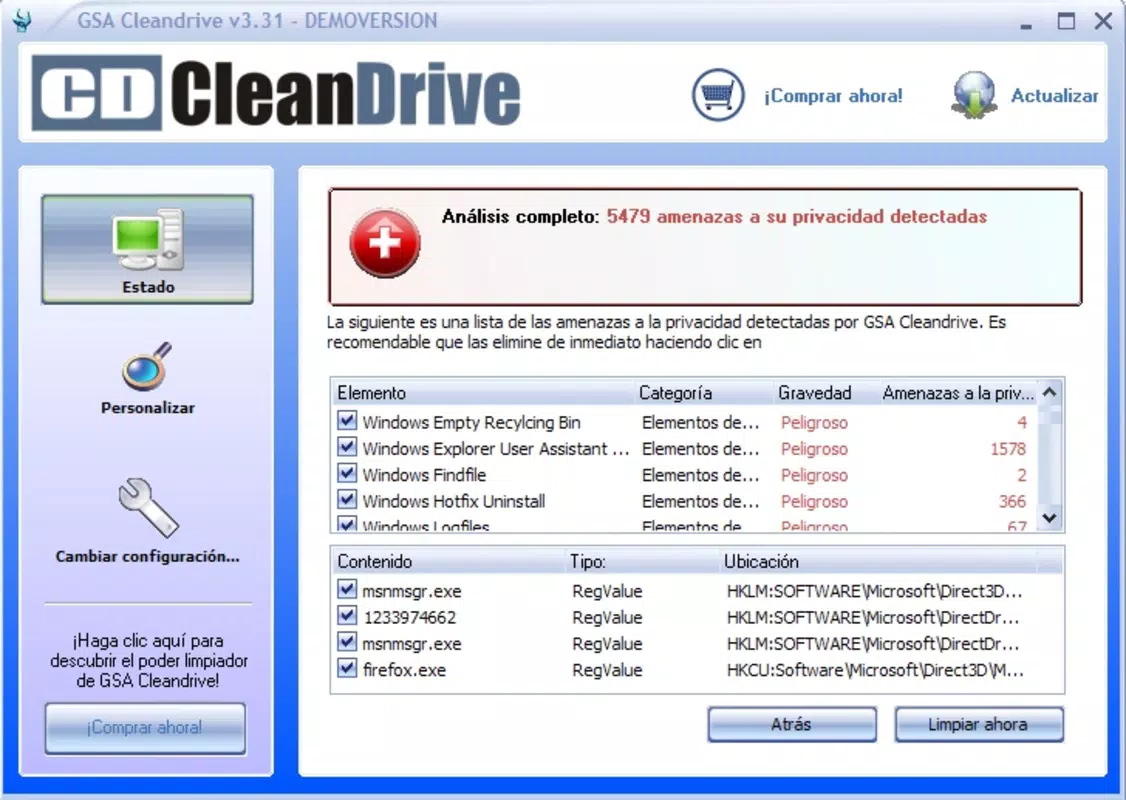
- Customizable Deletion Options: After scanning, users receive a detailed report of detected items and can choose which files to remove, ensuring that essential data remains untouched during cleanup.
- Full System Clean Mode: For users seeking a complete refresh, the app offers a comprehensive cleaning feature that removes all non-essential files identified during the scan.
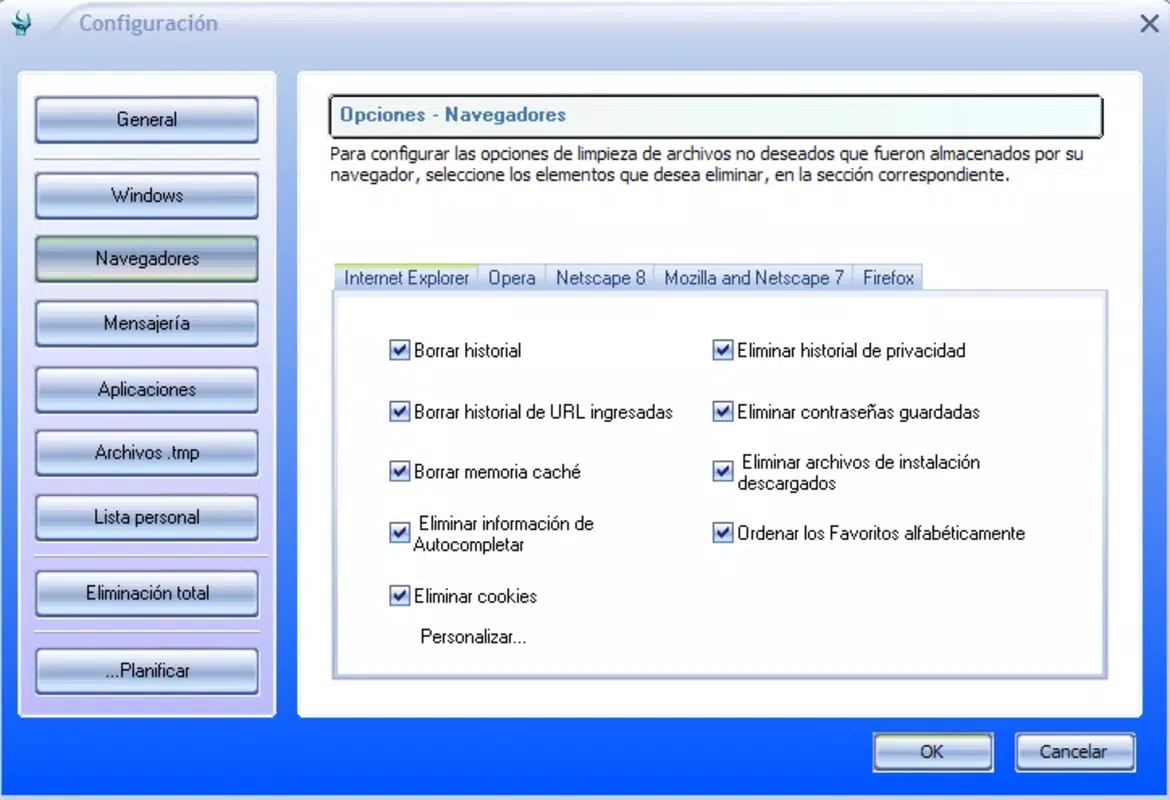
- Configurable Scan Settings: Users can adjust scan parameters such as depth, file types to include, and frequency, allowing for a personalized approach to device maintenance.
For example, a user preparing to sell their device can run a full clean to remove personal data, while a daily user might schedule a light scan to clear cache and improve responsiveness. These features are especially beneficial in preventing data leaks and maintaining optimal device speed over time. The app’s functionality supports both preventive and reactive maintenance, making it a versatile tool for ongoing digital wellness.
Interface, UX & Performance
Clean Drive features a clean, minimalist interface designed for intuitive navigation. The main screen presents a central “Scan” button, with secondary options accessible through a simple menu. Visual feedback during scans—such as progress bars and real-time threat indicators—enhances user confidence and awareness. The layout avoids clutter, ensuring that even first-time users can understand the process without confusion.
Navigation is linear and predictable: scan → review results → select items → clean. This straightforward flow reduces cognitive load and minimizes the risk of accidental data deletion. The app responds promptly to user inputs, with scan initiation and result display occurring within seconds on modern devices. Although the developer did not list formal performance metrics, the app appears optimized for smooth operation across a range of smartphones.
Stability is maintained through consistent background processing and memory management. The app does not appear to cause significant battery drain or interfere with other running applications. While specific compatibility details were not disclosed, the interface adapts well to different screen sizes and orientations, suggesting responsive design principles. Overall, Clean Drive delivers a reliable and user-friendly experience that aligns with modern mobile UX standards.
Platform Compatibility & Technical Requirements
Clean Drive is available for Android devices. The app supports the latest versions of the Android operating system, though specific minimum OS requirements were not listed by the developer. The current file size is 18.7 MB, which is compact and suitable for devices with limited storage capacity. This lightweight footprint ensures quick installation and minimal impact on system resources.
Users should ensure their device meets standard Android requirements for app installation, including sufficient RAM and available storage space. While the developer did not specify exact hardware or software prerequisites, the app’s small size and efficient design suggest broad compatibility with mid-range and high-end Android smartphones. No additional permissions or third-party integrations were mentioned, indicating a self-contained functionality focused on core cleaning tasks.
Pros and Cons
Pros
- Simple, intuitive interface suitable for all user levels
- Lightweight design with minimal storage footprint
- One-tap scanning for quick system analysis
- Flexible cleanup options with selective file removal
- Customizable settings for personalized scanning
Cons
- Developer did not provide detailed technical specifications
- Specific compatibility information was not disclosed
- No public information on update frequency or development activity
- Limited visibility into threat detection algorithms
- No integration with cloud backup or data recovery features
FAQ
Is Clean Drive safe to use on my smartphone?
Yes, Clean Drive is designed to identify and remove only non-essential files and potential threats. It does not access personal data or modify system files unless explicitly selected by the user.
Does Clean Drive require special permissions?
The developer did not specify required permissions. The app operates within standard app capabilities for file system access and storage management.
How often should I run a scan?
For optimal performance, users may run a scan weekly or before selling their device. Frequent cleaning is not necessary unless the device shows signs of slowdown.
Can I recover files after deletion?
Once files are removed, they cannot be restored through the app. It is recommended to back up important data before performing a full clean.
Is Clean Drive available for iOS devices?
Currently, the app is only confirmed for Android. No information is available about iOS compatibility or future releases.
Final Thoughts
Clean Drive stands out as a dependable, privacy-focused utility for Android users seeking to maintain their device’s performance and security. Its straightforward interface, customizable cleaning options, and lightweight design make it a practical choice for both novice and experienced users. While the developer has not shared extensive details about updates or technical infrastructure, the app’s consistent functionality and clear purpose suggest ongoing maintenance.
Those who value digital privacy, system efficiency, and minimal complexity will benefit most from this tool. Whether used for routine maintenance or a deep clean before device transfer, Clean Drive delivers tangible value with minimal effort. For users looking to enhance their smartphone’s safety and speed without downloading heavy or complex software, this app is a solid option.
Download Clean Drive now


